Ask a question!
Toggling the API Services
API Services refers to a toggleable setting inside of Roblox Studio. This setting will allow our game to use specific Roblox services such as the Data Store service, which is responsible for saving persistent data.
Generally while developing your game, you may want this setting disabled in order to prevent data from being saved. There are other times where you will want data to be saved so that you can easily test new code.
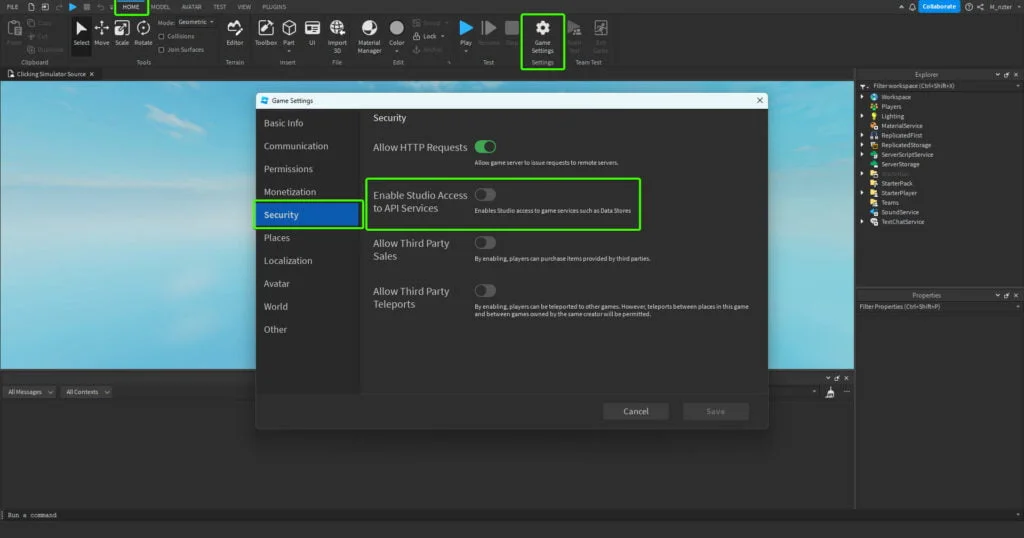
Follow these steps in order to change this setting:
- Select the HOME tab towards the top of Studio
- Select the Game Settings button
- Click the Save to Roblox button if you see it
- Select the Security tab
- Toggle the Enable Studio Access to API Services setting